Ontario
Ontario-labelled ATV, UTV, snowmobile, dirt-bike, trailer and e-bike products, plus CVOR and operator lettering.
Explore OntarioCanadian marking workshop · Port Colborne, Ontario
For vehicles, fleets, boats, buildings and equipment.
We make the physical marking from the details you supply.
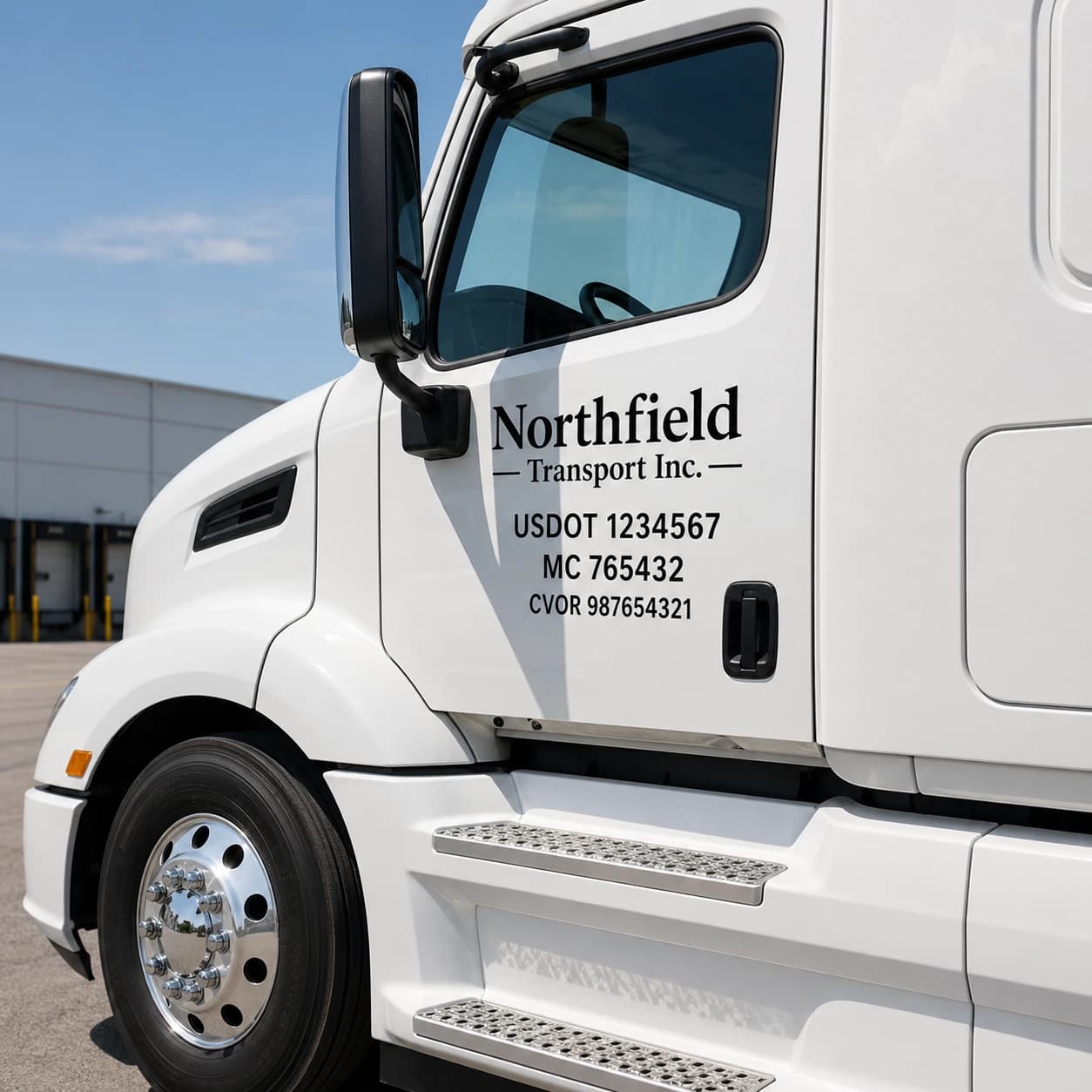
We make the physical marking. Registration, licences and official plates come from your authority.
Ordering for a fleet?Five buyer jobs, with an existing product or category route for each.
Boat and PWC numbers, ATV, UTV, snowmobile and dirt-bike numbers, trailer and e-bike labels, drone identification.
Operator name lettering, CVOR and USDOT number decals, weight decals and unit numbers for one truck or a fleet.
Registration or licence numbers, vessel names and port of registry lettering cut for hulls.
Fire route, parking, occupancy, accessibility and workplace signage for buildings and sites.
Unit numbers and identification decals for machines, trailers and jobsite assets.
Choose your vehicle, then compare the listed products and the region each is labelled for.
Requirements differ by jurisdiction. Confirm the exact requirement with your authority before you order.
Ontario-labelled ATV, UTV, snowmobile, dirt-bike, trailer and e-bike products, plus CVOR and operator lettering.
Explore OntarioBoat, PWC, vessel name and drone identification products made to the details you supply.
Explore Canada-wideUSDOT number decals for Canadian carriers operating into the United States.
Explore US cross-borderTitles and prices come from the live catalogue when this page is built. Open the product for its current options and selected price.
Choose the right product, enter the details it asks for and review the preview or proof where one is provided.
Browse every productNo. We make physical lettering, decals and labels from the details you give us. Registration, licences and official plates come from the relevant authority, and you remain responsible for confirming which requirements apply to you.
No. Marking rules differ by province, territory, vehicle type and operating authority. Products here are labelled by the region they are made for, such as Ontario, so match the product to your jurisdiction and confirm the details with your authority before ordering.
Each product page shows its current options and the price for the option you select, in the currency shown. The homepage lists catalogue prices only when the live catalogue has loaded; otherwise open the product page.